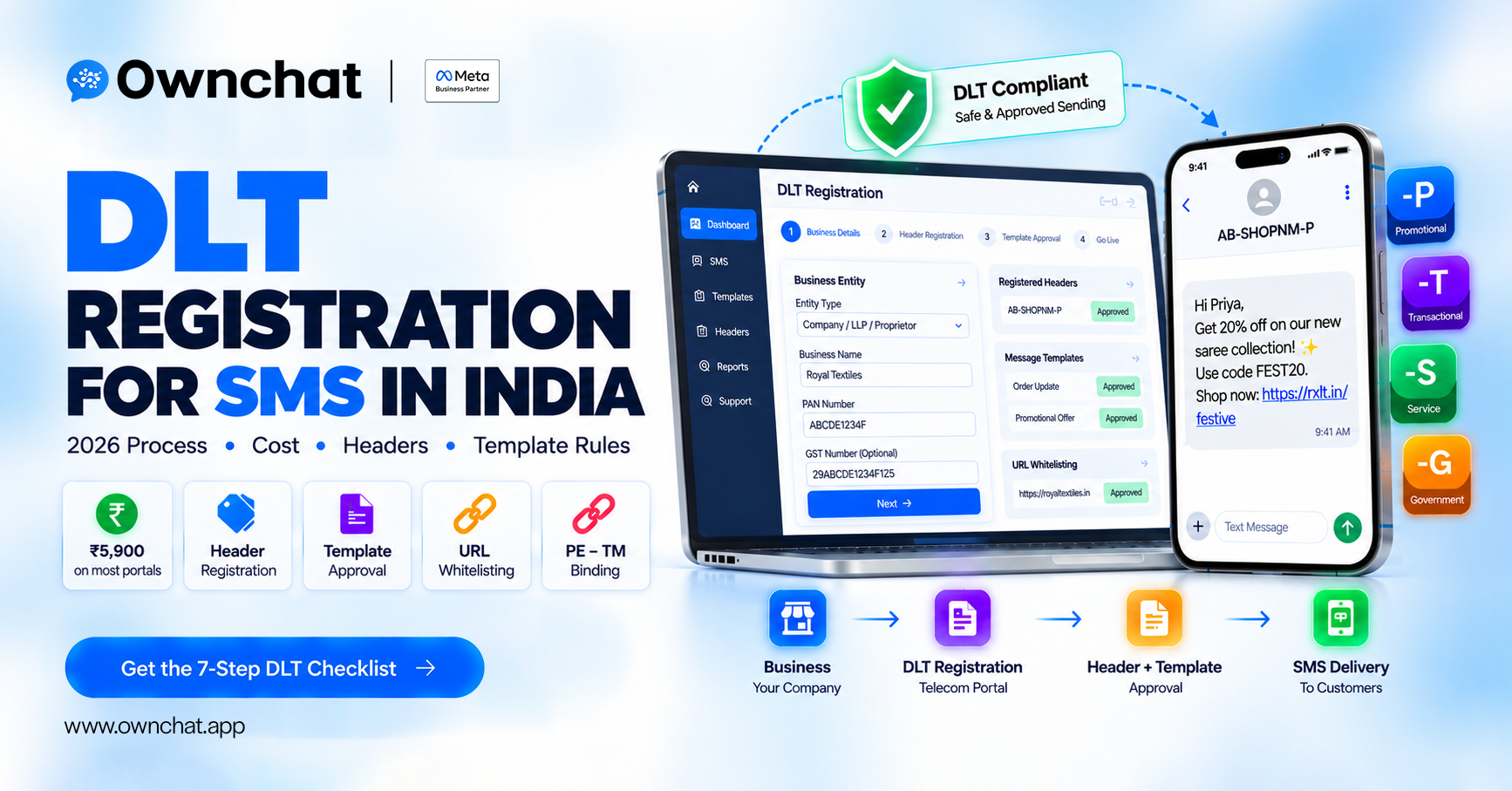
Quick answer: Every business sending commercial SMS in India must register on a telecom operator's DLT (Distributed Ledger Technology) portal as a Principal Entity, register sender headers and message templates, and link its SMS provider (telemarketer). Registration typically costs ₹5,900 including GST, one-time, on most portals. Since 2025, headers carry a suffix (-P, -T, -S, -G) showing message type.
Key takeaways
- Without DLT registration, your business SMS will be blocked by operators.
- Register once on any one operator's portal — it's shared across operators.
- Headers, templates, consent and URLs must all be registered and matched.
- Promotional SMS can go only to non-DND numbers between 10 AM and 9 PM.
What Is DLT Registration for SMS?
DLT is a blockchain-based system mandated by TRAI under the Telecom Commercial Communications Customer Preference Regulations (TCCCPR) to reduce spam. It records who is sending (Principal Entity), from which name (header), what content (template), to whom (with consent), and through which provider (telemarketer). Operators check every commercial SMS against these records before delivering it.
Which DLT Portals Can You Use and What Does It Cost?
| Operator | DLT portal (commonly known as) |
|---|---|
| Jio | Jio TrueConnect |
| Airtel | Airtel DLT (SmartPing) |
| Vi (Vodafone Idea) | Vilpower |
| BSNL | BSNL DLT |
| Tata Tele Services | Tata DLT |
Cost: most portals charge ₹5,900 (₹5,000 + 18% GST), one-time; some offer different plans. Confirm on the portal.
One registration is enough: your entity ID is shared across operators.
What Documents Do You Need for DLT Registration?
- Business PAN
- GST certificate (or other proof of business such as Udyam/incorporation certificate)
- Authorised signatory's ID and a Letter of Authorisation on letterhead
- Business address proof
- Official email and mobile number
- Header (sender ID) proof where the name is a trademark or brand, if requested
How Do You Complete DLT Registration Step by Step?
- Choose a portal (any one operator) and sign up as a Principal Entity (PE) / "Enterprise".
- Upload documents and pay the fee. Approval usually takes a few working days.
- Register headers — 6-character sender IDs (e.g.
SLSILK) related to your brand name, selecting type: promotional, transactional, service or government. - Register consent templates describing how customers opted in (for service-explicit messages).
- Register content templates — the exact wording with
{#var#}for variable parts like name or amount. - Whitelist URLs, numbers and APK links you will include in messages.
- Bind your telemarketer — link your SMS provider's TM ID to your PE ID (PE–TM binding) so traffic is accepted.
What Do the -P, -T, -S and -G Header Suffixes Mean?
Under TRAI's February 2025 amendment, headers display a suffix so customers can tell message types apart (implemented from around May 2025):
| Suffix | Type | Example use |
|---|---|---|
| -P | Promotional | Festival sale offer |
| -S | Service | Account or delivery updates, consented service messages |
| -T | Transactional | OTPs, bank transaction alerts |
| -G | Government | Government communications |
So a Diwali offer from SLSILK appears as something like AB-SLSILK-P.
What Are the DLT Template and URL Rules?
- Exact match: only the variable parts
{#var#}can change; everything else must match the approved template. - Correct category: promotional content cannot be sent on a service or transactional template.
- URLs must be whitelisted: since October 2024, messages with non-whitelisted URLs are blocked. Use full domain names; register shorteners if you use them.
- Promotional timing: 10 AM to 9 PM, to non-DND numbers only.
- Consent: keep records of customer opt-in and honour opt-outs.
Why Is My DLT SMS Failing?
| Problem | Likely cause | Fix |
|---|---|---|
| "Template mismatch" | Text differs from approved template | Copy exact approved text; change only variables |
| "Header not registered" | Wrong header or type | Register header with correct category |
| Messages with links blocked | URL not whitelisted | Add URL/domain on DLT portal |
| All traffic rejected | PE–TM binding missing | Link provider's TM ID in portal |
| Promo SMS not delivered at night | Outside 10 AM–9 PM | Schedule inside the window |
| Some numbers never receive | DND preference | Use service/consented templates or another channel |
How Ownchat Helps
Ownchat runs WhatsApp as the primary retail channel and uses SMS (and RCS where available) as fallback for customers not on WhatsApp — with your DLT headers and templates mapped so fallback messages go through cleanly. Our team can review your DLT templates in the free audit.
Related: RCS messaging in India · Diwali marketing ideas for clothing stores · WhatsApp marketing for textile shops · Book the free 15-minute audit
Frequently Asked Questions
Is DLT registration mandatory for SMS in India?
Yes, for all businesses sending commercial SMS (promotional, service or transactional). Unregistered traffic is blocked.
How much does DLT registration cost?
Most operator portals charge ₹5,900 including GST as a one-time fee. Confirm the current fee on your chosen portal.
Do I need to register on every operator's portal?
No. Register on one portal; your Principal Entity ID works across operators.
How long does DLT approval take?
Entity approval usually takes a few working days; header and template approvals can take from hours to a few days.
What is a header in DLT?
The sender ID customers see (up to 6 characters, e.g. SLSILK), now shown with a type suffix such as -P or -T.
Can I send links in SMS?
Yes, but only URLs whitelisted on the DLT portal. Non-whitelisted links are blocked.
What time can I send promotional SMS?
Between 10 AM and 9 PM, only to numbers not registered on DND for that category.
Sources
Checked 23 September 2026


